

Comprehensive Guide to Data Cabling
Why Cabling Matters in a Data Center
A data center’s cabling system (the network of cable runs connecting servers, switches, storage, and other components) is the nervous system of the infrastructure. Without a well-designed cabling layout, even the best hardware can’t perform reliably. Proper cabling helps ensure high bandwidth, low latency, scalability, good airflow, manageable maintenance, and long-term flexibility.
Types of Cabling: Copper vs Fiber
Copper Cabling
- Common standards: twisted-pair cables like Cat5e, Cat6, Cat6a, and sometimes coaxial cables.
- Best for short- to medium-distance connections, such as from a rack switch to a server.
- Cost-effective and often compatible with existing infrastructure.
Fiber-Optic Cabling
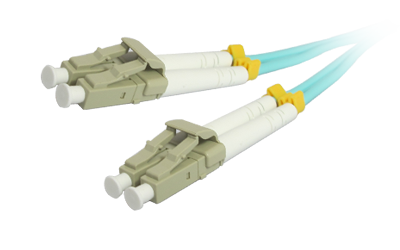
- Fiber uses pulses of light to transmit data, giving significant advantages for speed, distance, and bandwidth.
Common fiber types and uses:
- Single-Mode Fiber (SMF / OS2): Good for long-distance backbone links, suitable for inter-building or inter-data center links.
- Multi-Mode Fiber (MMF): Ideal for intra-data center connections (within the same room or campus).
- High-performance MMF grades (OM3 / OM4 / OM5): Widely used for modern data center backbone and server-row interconnects because they support high bandwidth and high-speed links.
- MTP / MPO trunk cables: Multi-fiber connectors used for high-density connections, useful when managing many fiber connections (e.g. 40G / 100G / 400G paths) in compact spaces.
When to use what:
- Use copper for short, low-to-medium bandwidth connections (server-to-ToR switch, management links, etc.).
- Use fiber for backbone links, high-speed interconnects, longer distance, and for future-proofing high-bandwidth workloads.
Multimode Fiber Evolution: OM1 to OM5
Multimode fiber has evolved to support higher speeds, longer distances, and greater bandwidth for modern networks.
OM1
62.5µm Core
(1989)
OM2
50µm Core
(1998)
OM3
Laser Optimized
(2002)
OM4
Enhanced Performance
(2009)
OM5
SWDM Enabled
(2014)
Data Center Cabling Design Considerations
When designing a cabling system for a data center, several critical considerations should guide your choices:
| Factor | What to Think About |
|---|---|
| Scalability / Future Needs | Will traffic increase? Will you upgrade to 40G / 100G / 400G? Plan for growth now, choose cable and connector types accordingly. |
| Cost & Operating Expense | Balance up-front cost (copper often cheaper) vs long-term value (fiber often more future-proof, less maintenance) |
| Standards & Compliance | Use recognized cabling standards (e.g. ANSI/TIA-942, ISO/IEC 24764) to ensure reliability, compatibility, and easier audits or upgrades. |
| Space, Airflow, and Energy Efficiency | Cabling affects rack layout, airflow paths, good layout reduces cooling needs and improves energy efficiency. |
| Maintenance and Management Overhead | Better structured cabling (with proper labeling/ documentation) reduces time and mistakes during maintenance or upgrades. |
| Reliability & Uptime / Redundancy | Use redundancy (multiple paths), proper segregation, and good cable management to minimize risk of outages. |
Cable Management Best Practices & Installation Guidelines
Good cabling is not just about cable choice, layout, management, documentation, and maintenance practices are equally important.
Recommended Key Practices
Plan the layout first
Visualize where racks go, where switches will be, where cable pathways (overhead trays or under-floor) will run, so routing is logical and scalable.
Use structured cabling
(Instead of ad-hoc “home-run” patching) Structured cabling (patch panels, trunk lines, labeled paths) is more scalable, easier to maintain, and less error-prone over time.
Label everything
Cables, ports, patch panels — at both ends. Maintain documentation or “as-built” diagrams so future maintenance, upgrades, or troubleshooting is easier.
Respect bend radii (especially for fiber)
Avoid overcrowding trays, maintain separation of data and power cables. This helps preserve signal integrity, reduce interference, and meet safety codes.
Test and validate every link after installation
Whether copper or fiber — to ensure connections work, loss or interference is within acceptable bounds.
Eliminate unused/abandoned cables
Stale cables clutter racks, reduce airflow, and complicate future changes. Clean up legacy cables when possible.
Structured vs Unstructured Cabling — Why Structured Wins Long-Term
What is Structured Cabling?
Structured cabling is a standardized cabling system built with patch panels, consistent labeling, defined zones (backbone, distribution, equipment), and modular design, rather than point-to-point “home-run” cables.
Benefits over Unstructured
- Easier maintenance, upgrades, and reconfiguration.
- Reduced downtime — problems are easier to trace, and moves/adds/changes are safer.
- Better cable management — less clutter, better airflow, lower cooling cost, cleaner physical infrastructure.
- Scalability — easier to support future upgrades (higher speeds, more ports, denser racks) without full re-cabling.
Unstructured Cabling
Unstructured cabling — while cheaper and quick to deploy — tends to lead to tangled, inefficient, hard-to-maintain infrastructure, which becomes costly and error-prone as the data center grows.
Structured Cabling
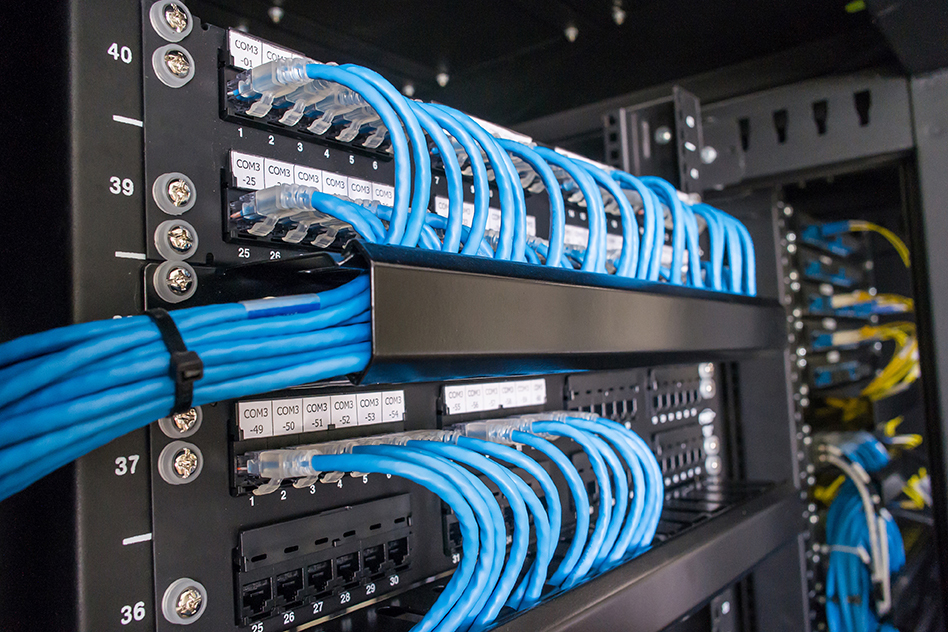
- Organized and labeled
- Easy maintenance
- Improved airflow
- Scalable design
Unstructured Cabling
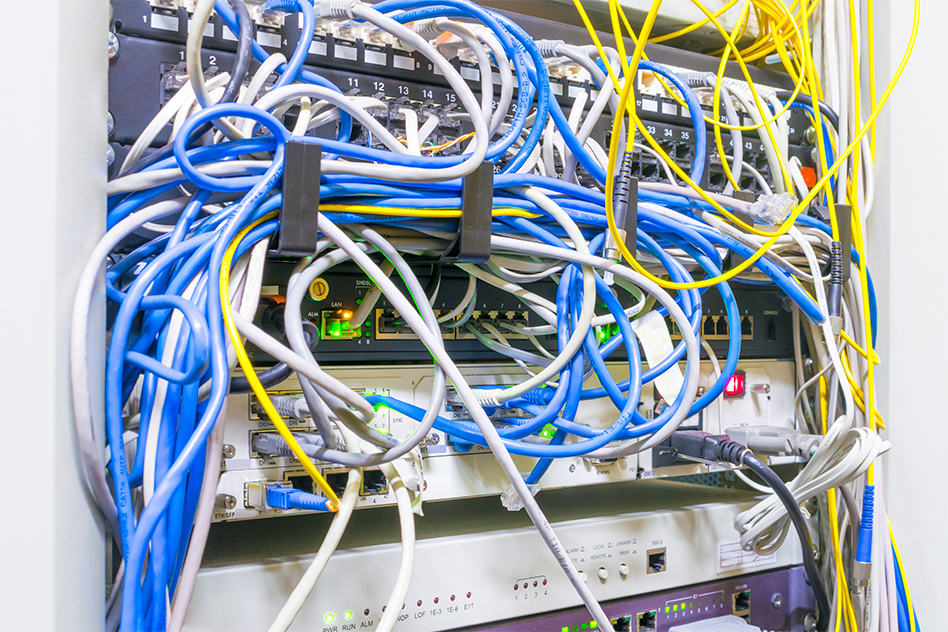
- Tangled cables
- Difficult troubleshooting
- Poor airflow
- Limited scalability
Putting It All Together: Building a Data-Center Cabling Strategy
1. Assess present and future needs
Estimate current data throughput, server density, expected growth (5–10 years), needed redundancy, and workload requirements (bandwidth, latency, storage, expansion).
2. Choose cabling media based on role
Use fiber (MMF OM4/OM5 or SMF) for backbone and high-speed links; copper (Cat6A or Cat6) for short-range or legacy connections where fiber isn’t required.
3. Design a structured cabling layout
Define backbone, horizontal, and equipment zones, plan pathways (underfloor or overhead), and include extra capacity for future growth.
4. Label & document everything
Track cable IDs, port mappings, and patch panels with clear documentation and diagrams to simplify maintenance and upgrades.
5. Install with best practices
Respect bend radii, separate power and data, avoid overcrowding, remove abandoned cables, and manage slack properly.
6. Test & validate every link
Verify performance using proper tools, checking continuity, signal loss, crosstalk, and polarity before going live.
7. Maintain & plan for future
Audit regularly, remove unused cables, update documentation, and ensure flexibility for future upgrades and expansion.
Choose the Right Cabling with Comprehensive
Comprehensive offers a wide range of high-performance data cabling solutions, including category cables and fiber optic options designed to support reliable, scalable network infrastructure.
Reliable Category Cable Solutions
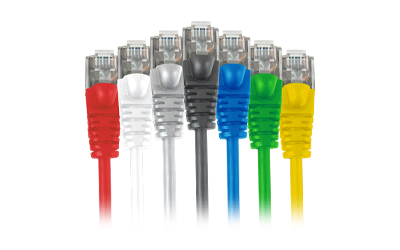
Explore high-performance Cat6, Cat6A, and Cat5e solutions designed for dependable, cost-effective data transmission across short to medium distances.
Ideal for patching, horizontal runs, and everyday network infrastructure.
High-Speed Fiber Solutions
Discover fiber optic cabling engineered for high bandwidth, low latency, and long-distance performance in modern data center environments.
Available in multimode and singlemode options for backbone and high-capacity applications.