

4K vs 8K
A Modern Guide to Choosing the Right HDMI Cables
Display resolutions continue to evolve, and understanding the difference between 4K and 8K is essential when choosing your next HDMI Cable to connect your TV, monitor, projector, or home-theater setup. This guide breaks down each resolution, how they compare, when the differences matter, and what you actually need in real-world usage.
What Do “4K” and “8K” Actually Mean?
How Much Sharper Is 8K?
Each “step up” isn’t linear — the difference in pixel density is significant:
| Resolution | Total Pixels | Increase vs 4K |
|---|---|---|
| 4K | ~8.3 million | - |
| 8K | ~33.2 million | 4× more pixels |
Pixel Count Comparison
With four times the pixel information, 8K can reproduce finer textures such as:
- Hair strands
- Fabric weaves
- Natural landscapes
- Text and UI elements on large screens
Full HD
1,920 × 1,080
2,073,600
pixels
4K UHD
3,840 × 2,160
8,294,400
pixels
8K
7,680 × 4,320
33,177,600
pixels
Viewing Distance & Screen Size Matter More Than Resolution
The human eye can only perceive increased pixel density when:
- The screen is large enough
- You are close enough to the display
- Approximate minimum screen size to benefit from 8K
| Viewing Distance | Minimum Screen Size for 8K |
|---|---|
| 4-5ft | 65"-75" |
| 6-8ft | 75"-85" |
| 9-10ft | 85"-100"+ |
| 10ft+ | 100"+ or projector |
If you sit far away or use a smaller screen, the difference between 4K and 8K becomes subtle or even invisible.
Content Availability: What Can You Actually Watch?
Most content you’ll watch for the next several years will still be 1080p or 4K, not 8K.
Hardware, Bandwidth & Cable Requirements
4K Requirements
- At least HDMI 2.0
- ~25 Mbps for streaming
- Widely supported by TVs, receivers, GPUs, consoles
8K Requirements
- HDMI 2.1
- Strong internet: 50–100 Mbps+ for true 8K streaming
- Very powerful PC or next-gen hardware for 8K gaming
- Larger storage (8K files are huge)
A simple rule:
If your hardware was made before 2020, it probably cannot output true 8K.
Upscaling: How 8K Displays Make 4K Look Better
Because 8K content is scarce, 8K TVs rely heavily on AI upscaling. Upscaling takes lower-resolution images and uses algorithms to:
- Sharpen edges
- Smooth textures
- Reduce noise
- Increase detail artificially
Good upscaling can improve 4K video on an 8K panel, but it will never match 100% true 8K.
Cost Comparison
Price Trend Summary
- 4K TVs: Affordable, wide selection, mature technology
- 8K TVs: Higher cost, fewer models, mostly premium-tier displays
Average Price: 8K: $$$$$$$$, 4K: $$$$, 1080p: $$
Expect to pay 2× to 4× more for an 8K TV of the same size and quality grade.
When 8K Is Worth It
8K is beneficial if:
- You have a large screen (75"–85"+)
- You sit close to the screen
- You want maximum future-proofing
- You work in content creation and need ultra-detailed imagery
- You're building a high-end home theater
When 4K Is More Than Enough
Stick with 4K if:
- Your screen is under 75" inches"
- Your seating distance is more than 6-7ft
- You mostly watch streaming content
- You want best value for money
- You do not upgrade TVs frequently
A high-quality 4K HDR TV often looks better than a low-quality 8K TV.
Best Uses for 4K and 8K HDMI Cables
The right HDMI cable depends on your environment, performance needs, and future goals. 4K is ideal for most applications today, while 8K offers added bandwidth for next-generation setups.
Education
Ideal for classrooms and training environments using projectors and smart boards. 4K HDMI cables provide reliable, cost-effective performance for short-distance runs.
- Projectors & smart boards
- Classroom presentations
- Short-distance installs
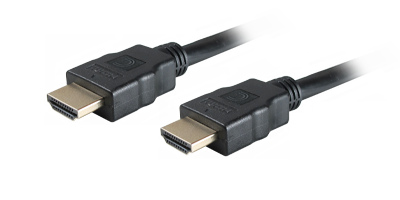
Recommended Comprehensive Cables:
Standard Series 4K HDMI Cables
Specialist Series™ 4K HDMI Cables
Specialist Series™ USB-C to 4K HDMI Adapter Cables
Presentation & Collaboration
Perfect for conference rooms, video distribution, and digital signage. 4K delivers excellent clarity, while 8K cables help future-proof installations.
- Presentations & collaboration
- Video distribution systems
- Home theater & streaming
Most environments don’t require 8K yet, but upgrading now ensures long-term compatibility.
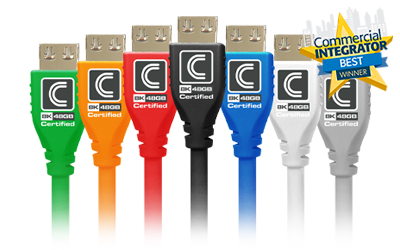
Recommended Comprehensive Cables:
NanoFlex™ 4K HDMI Cables
MicroFlex™ 8K HDMI Cables
Integrator Series™ Certified 4K USB-C Cables
Integrator Series™ USB4 Certified 8K USB-C Cables
Specialty & Long Distance
Designed for demanding environments and long-term installations where durability and performance matter most.
- Permanent AV installations
- High-traffic environments
- Long-distance runs
- Advanced AV systems
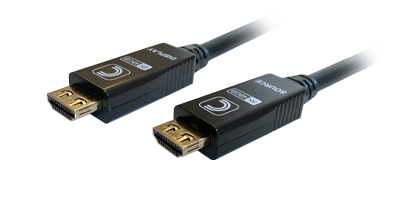
Recommended Comprehensive Cables:
Integrator Series™ Certified Heavy Duty 4K HDMI Cables
Integrator Series™ Plenum 4K HDMI Cables
Integrator Series™ Active Optical Plenum 4K HDMI Cables
Integrator Series™ USB 10G 4K Active Optical Plenum USB-C Cables
Final Recommendation
- Choose 4K for the best value, compatibility, and everyday performance
- Choose 8K if you have the right environment, hardware, and budget
For most users today, 4K delivers the ideal balance of cost, quality, and content availability. However, 8K is the next step for large-screen viewing, premium AV setups, and future-proof installations.